

Fixing Low Email Open Rates 2025
Boost email open rates from 10% to 30%+ with our 2025 guide. Learn subject line optimization, timing strategies, authentication fixes & proven tactics.
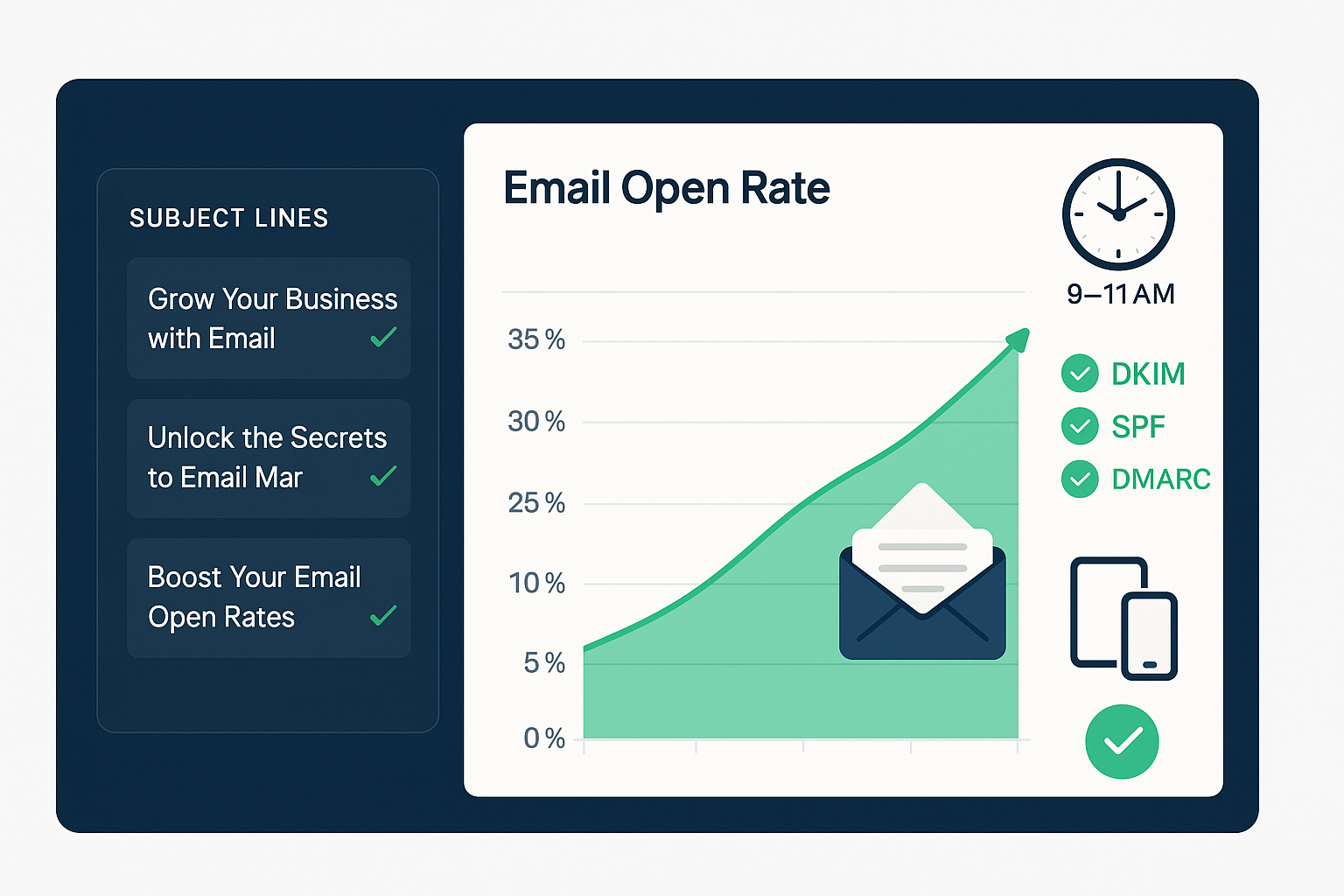
Understanding Email Open Rates
What is Email Open Rate?
Here's the simple math: Email open rate = (Total emails opened / Total emails delivered) × 100
Pretty straightforward, right? But the real question is whether your rate is actually good.
Current Benchmarks
The global average hovers between 19.66% and 21.5%. That means roughly 1 in 5 people open their emails. B2B tends to vary wildly by industry, while B2C typically performs better—people are more likely to open that sale announcement than a whitepaper invite.
Geographic Variations
Location matters more than you'd think. Switzerland leads the pack at 29%, while the US sits at 23.53%. Europe averages 25.18%, but the UK? Just 13%. Why such variation? Different email cultures, regulations, and user behaviors all play a role.
Industry Benchmarks
Top Performing Industries
Let's talk winners. Restaurants and food businesses crush it with a 32.04% open rate. Makes sense—who doesn't want to know about tonight's specials? Non-profits follow closely at 31.73%, then automotive at 30.87%. Real estate (28.57%) and education (27.13%) round out the top five.
Lower Performing Industries
Technology companies? Ouch. Just 9.65%. E-commerce varies so much it's hard to pin down. The lesson here: context matters.
Target Metrics
What should you aim for?
- Good: 15-25% (you're doing fine)
- Excellent: 25-35% (time to share your secrets)
- Outstanding: 35%+ (seriously, write a case study)
Technical Foundation
1. Domain Authentication (Critical as of 2024)
This isn't optional anymore. You need DKIM, SPF, and DMARC set up properly. Think of these as your email passport—without them, you're not getting through customs (aka spam filters).
2. Avoid Spam Triggers
Stop using that Gmail address for business emails. Seriously. Brand your email addresses properly. There are over 300 spam trigger words to dodge, and yes, "free" is still on that list. Keep your text-to-image ratio balanced—too many images screams "spam." Stick to HTTPS links and forget URL shorteners exist.
3. Email Size Optimization
Gmail clips emails over 102KB. That beautiful footer you spent hours designing? Your subscribers might never see it. Compress those images and clean up your HTML.
4. Mobile Optimization
Here's a wake-up call: 81% of users check email on mobile, and 75% of opens happen on mobile devices. If your email looks terrible on a phone, you've already lost. Use responsive design, make buttons finger-friendly, and keep fonts at 14px minimum. Your thumbs will thank you.
Subject Line Optimization
Length Guidelines
Keep it short. 6-10 words is your sweet spot, or 30-50 characters total. Mobile users see even less—just 30-40 characters. Every word counts.
Proven Strategies
Personalization can boost opens by 50%, though results vary. Numbers work surprisingly well—up to 113% higher open rates. Why? Our brains love specifics. Questions create curiosity gaps. Urgency works when it's real (fake urgency kills trust). Emojis? Mixed bag—20.45% with versus 21.94% without. Test them with your audience.
Subject Line Don'ts
WRITING IN ALL CAPS!!! See how annoying that is? Skip the excessive punctuation too. Never mislead—"You've won!" when they haven't is a fast track to the spam folder. Generic subjects like "Newsletter #5" tell readers you don't value their time. And please, retire "Act Now!" forever.
Sender Optimization
From Name Best Practices
Here's something wild: 46% of people decide to open based solely on who sent it. Your sender name matters more than you think. What works?
- [Your Company Name] (simple, clear)
- [First Name] from [Company] (personal touch)
- [Company] Team (friendly, approachable)
Reply-To Address
Please use real email addresses. Department-specific ones like support@ or billing@ work great. The no-reply address? It tells subscribers you don't want to hear from them. Not exactly relationship-building.
Timing Strategy
Best Times to Send
The sweet spot? 9-11 AM catches people during their morning email check. The 1-2 PM window works too—22.09% open rate as people return from lunch. Evening at 6 PM can work for B2C.
Best Days
Thursday takes the crown for revenue per recipient. Tuesday wins for pure open rates (19.82%), with Wednesday close behind (19.49%). Notice a pattern? Mid-week dominates.
Worst Times
Avoid the 6 PM to 5 AM dead zone. Saturday? Just 17.3% open rate. Unless you're in hospitality or entertainment, give people their weekends.
Time Zone Considerations
Are you sending to California at 9 AM Eastern? That's 6 AM their time. Segment by location, use send time optimization, and think globally if that's your audience.
List Management
Segmentation Benefits
Ready for a jaw-dropping stat? Segmentation can improve open rates by 203%. Not 20%. Two hundred and three percent. Segment by demographics, purchase history, engagement level, location, and lifecycle stage. The more relevant the email, the more likely it gets opened.
List Hygiene
Time for tough love. Those subscribers who haven't engaged in 6+ months? They're dragging down your sender reputation. Use double opt-in to ensure quality from the start. Clean your list quarterly at minimum. Monitor bounce rates like a hawk. And here's a pro tip: archive inactive contacts instead of deleting them—you might want that data later.
Re-engagement Campaigns
Before you cut inactive subscribers loose, try winning them back. Create a specific campaign for dormant users. Offer genuine incentives. Set clear expectations about email frequency. If they still don't respond? Time to say goodbye.
Content & Design
Email Copy Best Practices
Keep it under 100 words for the best response. People scan, they don't read—make it easy with clear hierarchy. Write like you're talking to a friend (a professional friend, but still). Follow the 80/20 rule: 80% valuable content, 20% promotion. Nobody likes the friend who only calls when they need something.
Preheader Optimization
Emails with preheaders average 25.83% open rates. This little subtitle can make or break your open. Use 40-130 characters to complement—not repeat—your subject line. Think of it as your subject line's wingman.
Design Elements
Clean beats cluttered every time. Balance your text and images. Make CTAs impossible to miss. Ensure images load fast (or your carefully crafted email becomes a wall of broken image icons). Always include alt text—accessibility matters.
Personalization Tactics
Go beyond "Hi [First Name]." Use dynamic content based on segments. Trigger emails based on behavior. Reference their purchase history. Include location-based content when relevant. Celebrate milestones. Make each subscriber feel like you're paying attention.
Advanced Strategies
1. A/B Testing Priority Areas
Test everything, but start here: subject lines (biggest impact), send times, from names, preheaders, content format, and CTA placement. One test at a time, though—otherwise you won't know what worked.
2. Triggered Email Campaigns
These are your workhorses. Welcome series for new subscribers. Abandoned cart reminders (the money makers). Re-engagement campaigns. Birthday greetings. Post-purchase follow-ups. Set them up once, let them run forever.
3. AI and Automation
The robots are here to help. Use AI for send time optimization—let the machines figure out when each subscriber is most likely to open. Test subject lines at scale. Personalize content automatically. Create predictive segments. Work smarter, not harder.
4. Authentication Extras
Want to stand out in the inbox? BIMI puts your logo next to your emails. Custom domain tracking keeps everything branded. And if you're using a new domain, warm it up for 2-3 weeks before going full throttle.
5. Frequency Optimization
There's no magic number, but 2-5 emails per month works for most. Test different cadences. Watch engagement patterns closely. Some segments want daily updates, others prefer monthly. Let their behavior guide you.
Troubleshooting Checklist
Immediate Actions for Low Open Rates
When your open rates tank, here's your rescue plan:
Technical Checks
First, verify the basics. Is your domain authentication working? Run your emails through Mail-Tester to check spam scores. Test how they look across different email clients. Make sure Gmail isn't clipping them. Check Google's Postmaster Tools for deliverability insights.
Content Audit
Scan those subject lines for spam triggers. Is your sender name recognizable? Add compelling preheaders if you haven't already. Double-check mobile rendering. Ensure all links use HTTPS.
List Health
Remove hard bounces immediately—they're reputation killers. Segment out inactive subscribers. Launch a re-engagement campaign for the fence-sitters. Verify your opt-in process actually works. Dig into engagement metrics by segment to spot problem areas.
Strategy Review
When did you last analyze send time performance? Try different days. Maybe you're emailing too much—or not enough. Start A/B testing if you haven't. See what your competitors are doing (but don't copy blindly).
Recovery Timeline
Week 1-2: Fix technical issues and authentication Week 3-4: Optimize content and start testing Week 5-6: Clean your list and improve segmentation Week 7-8: Implement your full recovery strategy
Red Flags Requiring Immediate Action
Drop everything if you see:
- Open rates below 10% (you're in crisis mode)
- A sudden 5%+ drop (something broke)
- High spam complaints (reputation damage incoming)
- Rising bounce rates (list quality issues)
- Mass unsubscribes (content or frequency problem)
Key Takeaways
- Technical foundation comes first—without proper authentication, nothing else matters
- Subject lines are half the battle—never stop testing them
- Thursday mornings win—but your audience might be different
- Segmentation is a superpower—that 203% improvement isn't a typo
- Mobile rules everything—if it doesn't work on phones, it doesn't work
- Quality beats quantity—1,000 engaged subscribers trump 10,000 ghosts
- Personalization works when done right—but generic mail merge doesn't cut it
- Testing never ends—what worked last year might fail today
The bottom line? These guidelines come from millions of emails across thousands of companies. Your audience is unique. Use this as your starting point, then test, measure, and adapt. The best email strategy is the one that works for your specific subscribers.
Related Posts
Ultimate Email Deliverability Guide 2025
Executive Overview Half your emails might be landing in spam right now. That's not an exaggeration—45% of global email traffic gets flagged as spam. If you're r...
Read more
Fix Low Email Conversion Rates: Complete ROI Recovery Guide
Here's the thing about email marketing: everyone talks about that magical $36-40 ROI for every dollar spent, but nobody mentions that 79% of marketing leads nev...
Read more