

Email headers customisation tool
We all know how important email headers are and how they affect email deliverability. However, until now, you couldn't customise which email headers to use when sending out your em...
We all know how important email headers are and how they affect email deliverability. However, until now, you couldn't customise which email headers to use when sending out your email campaign. Thanks to our newest feature, you can customise email headers by selecting the ones you need and deselecting the ones you don't.
You can tell a lot about an email by looking at the header information - everything from who has sent it, who has routed it, uses which IP address for sending it, and if SPF and DKIM validations. Typically, they also contain information on other variables for internal usage, like the List ID of the mailing list you are sending or the abuse URL in case the user wants to complain about unsolicited emails.
However, some customers find that they get better email delivery rates by excluding specific headers, so we decided to give this feature to all our customers so they can customise to what works best for them. Don't worry. We have not listed any headers that are a MUST to ensure recognition of bounces and complaints.
How do I use it?
Step 1
Login to your customer account.
Step 2
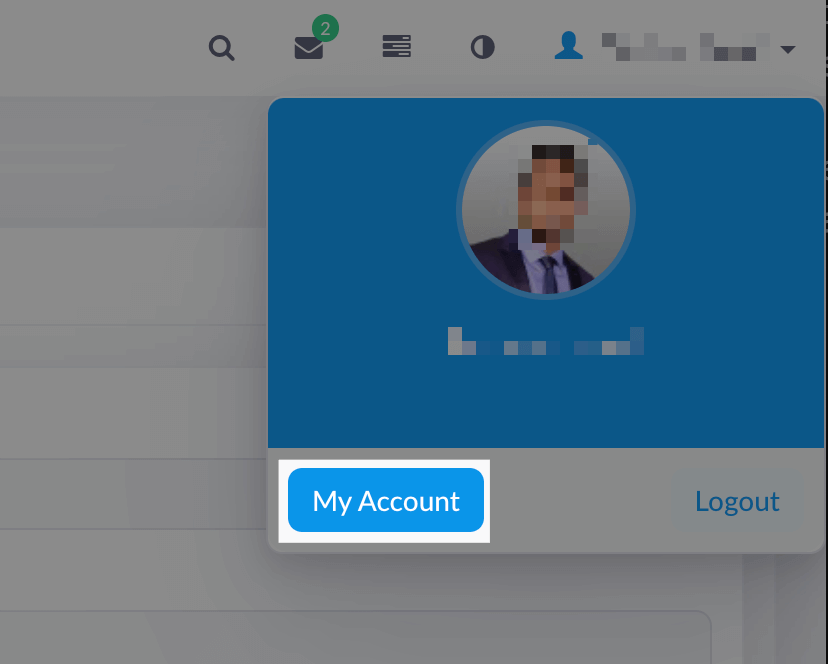
Click on 'My Account' after click on your name at the top right corner
Step 3
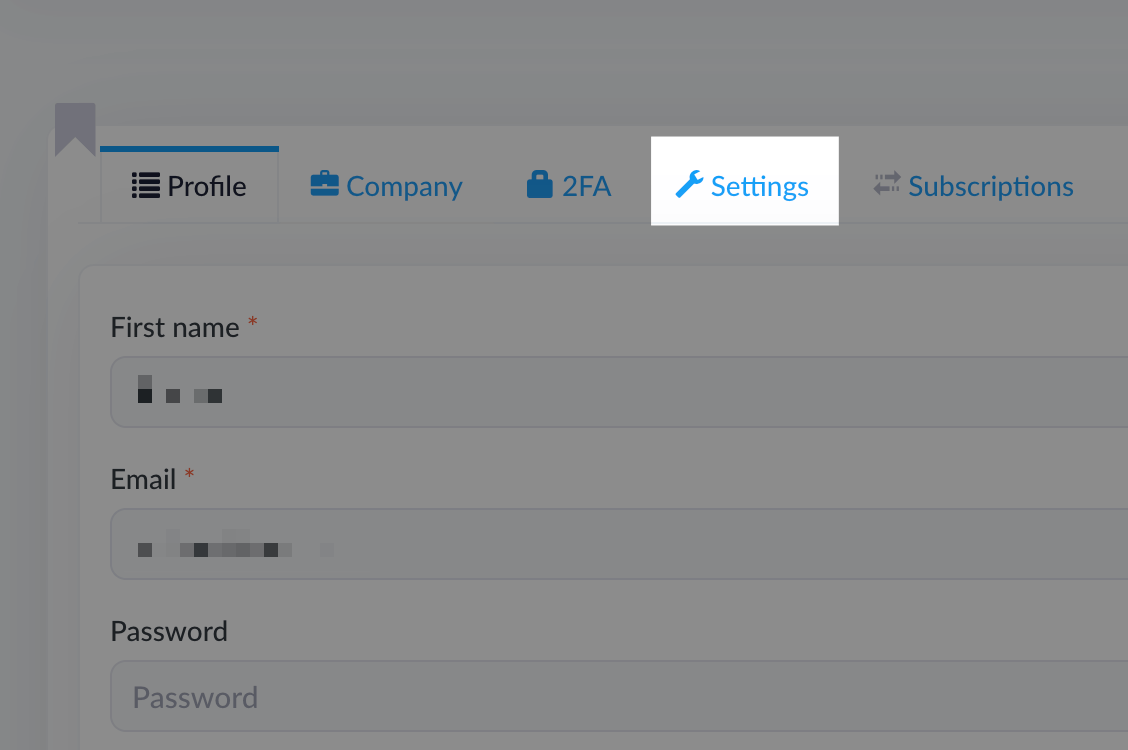
Select the 'Settings' tab
Step 4
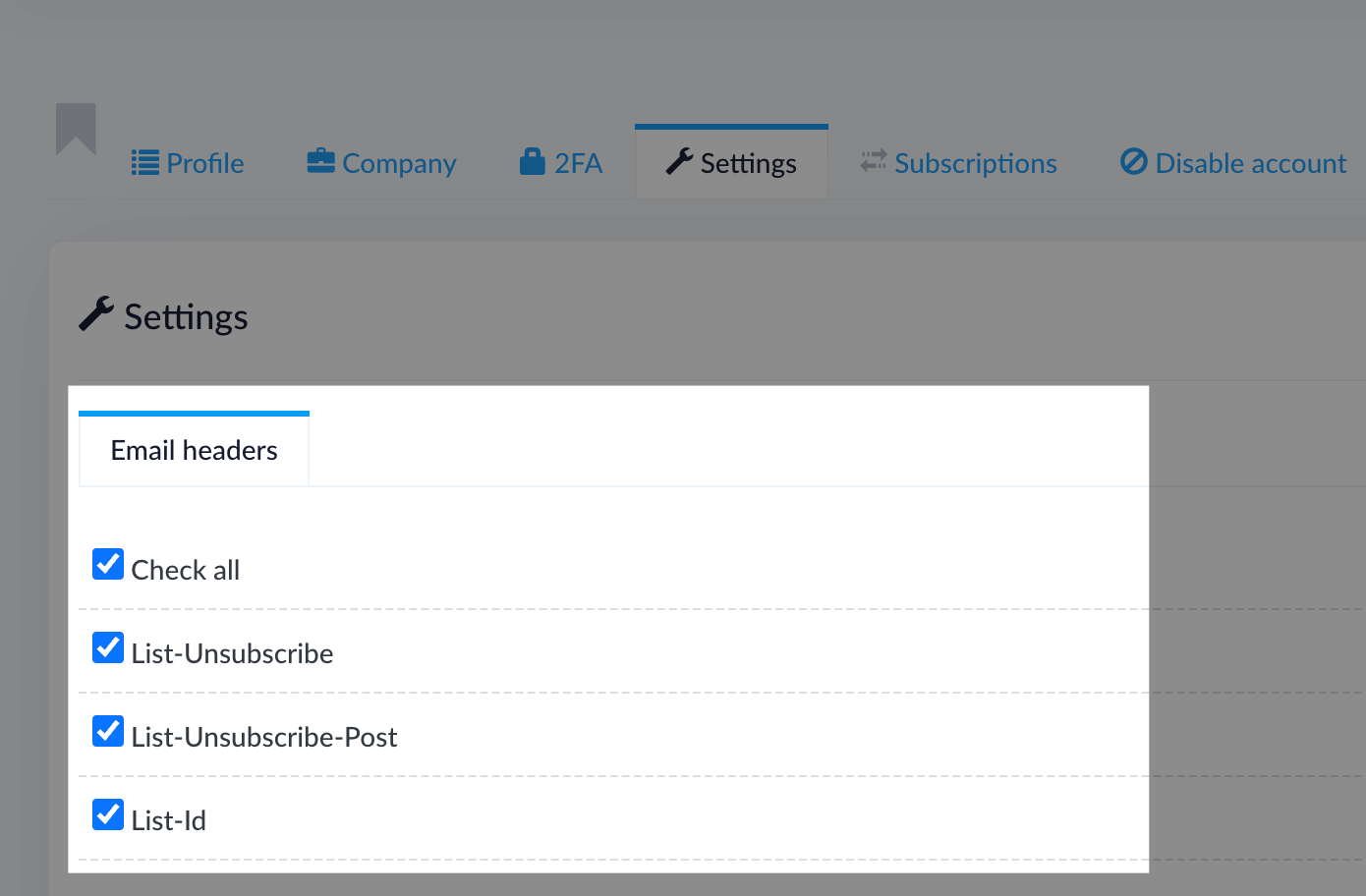
Select the desired headers you want included and deselect the ones to exclude
Step 5
Voilá! You have successfully customised your email headers. You can try sending some emails and see how your email campaign is doing.
Related articles
Domain Auth SPF, DKIM, DMARC, MX
Note: This guide only helps with email authentication for the emails (Eg. Email notifications) sent using OUR delivery server we configured for you. It DOES NOT apply if you are us...
Using Stripo email template builder
Step 1 Go to the 'Email templates' menu from the left and click on 'Create new'. Step 2 Once loaded, click on the 'Show email builder' link in the top right corner of the WYSIWYG e...
Email campaigns paused - 'pending-sending'
You ran out of your monthly allowance We enforce limits from the backend. Our system automatically disables once your customers have used up their sending allowance. The counter ca...